Google Translate
Google LLCTools
4.3187.30K Reviews
- Version
- Varies With Device
- Installs
- 1.00B
- Age Rating
- Everyone
Screenshots
Our Review of Google Translate
 Analysis by Appyee
Ever found yourself in a situation where you’re staring blankly at a foreign street sign or menu and wishing you had a magical device to decode it? Well, guess what? We live in the future, and Google Translate is about as close to that magic as it gets. Let me walk you through my experience with this app that’s become my travel buddy and language coach all rolled into one.
Readable at a glance, with a little room to learn
I find the app easiest to use when I have a clear, specific task: enter a phrase, listen to someone, or make sense of printed text. Its tools are presented in a way that makes those different starting points easy to recognize, so I don’t have to hunt through a complicated setup before trying a translation. That directness matters when I’m standing in a queue or trying to follow a conversation.
There is still a small learning curve in deciding which mode suits the moment. A typed sentence gives me time to check what I entered; speech is quicker but depends on a clear recording; a camera is convenient when copying the text would be tedious. I get better results when I choose deliberately instead of treating every translation task as the same kind of input.
Useful across different ways of communicating
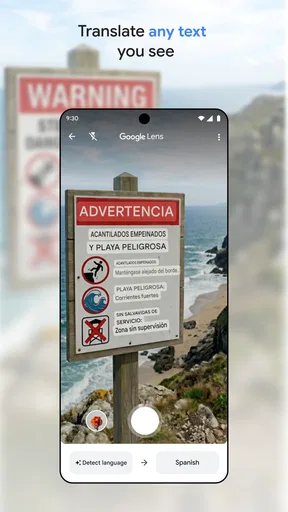
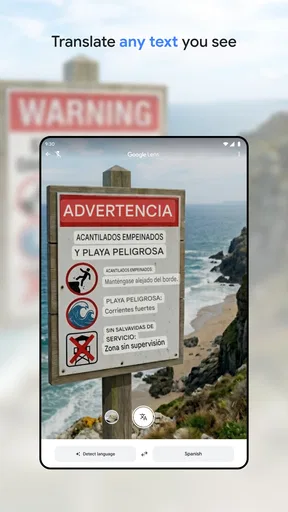
Text, speech, and camera translation give me options when reading, typing, or speaking is not the easiest route. For example, if I’m having trouble making out a sign from a distance, I can move closer and use the camera rather than trying to copy unfamiliar lettering. If a spoken phrase is hard to catch, asking the other person to repeat it more slowly can make the voice tool more useful than simply pressing the microphone again.
These options are helpful, but they don’t remove every barrier. Camera translation works best when the text is visible and legible, while voice translation can struggle in a noisy place or when speakers talk over one another. I also avoid relying on it alone for a high-stakes exchange: a short, plain sentence is easier to check than a long explanation with several details.
Planning for places with weak connectivity
Offline language packs are especially useful when I expect patchy service, but they take a little planning: I download the languages I’m likely to need before leaving reliable Wi-Fi. That makes the feature practical for a train journey, a remote walking route, or an arrival when I have not yet arranged mobile access. I still treat offline translation as a backup for basic communication rather than assuming every situation will work exactly as it does online.
A useful habit is to prepare a few important phrases before a trip, then keep them short and direct. It is easier to check a translation for “Where is the station?” than to build a complicated request on the spot. For anything involving an address, a medical concern, or an important appointment, I would also keep the original written details available so I can show them if a translation is unclear.
Where it fits among translation options
As a free tool from Google LLC, this app is an easy first choice for quick, everyday translation across different input types. A bilingual dictionary may be better when I want to compare definitions and study a word in depth; a human interpreter is the wiser choice when nuance, confidentiality, or serious consequences matter. I use the app to bridge ordinary gaps, not to pretend that a machine can always read tone or cultural context.
Its reach is substantial: it supports over 100 languages, has more than a billion installs, and holds an average rating of 4.3 from around nine million ratings. Those figures help explain why it is familiar to so many people, but popularity is not a guarantee that a particular sentence is right. I still check names, dates, directions, and other details that could cause trouble if a translation changes their meaning.
Who will get the most from it
I’d recommend it to travelers who need help with signs, menus, and basic conversations; to people who regularly encounter messages in another language; and to learners who want a quick pronunciation aid alongside their studies. It is also handy for helping someone communicate a simple request when neither person shares the other’s language. The free price makes it easy to keep available as a practical backup.
I would not make it my main choice if I needed polished writing, dependable interpretation for a sensitive conversation, or a careful explanation of a phrase’s cultural meaning. Someone who already studies with a specialist dictionary or works with a professional translator may find those options more appropriate for focused tasks. The app is for Everyone, but that does not mean every translation task is equally suitable for it.
First Impressions
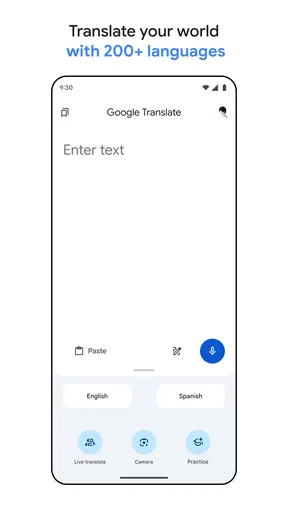
Downloading Google Translate is a breeze, and setting it up is even easier. It’s available for both Android and iOS, and it’s free, which is always a nice perk. Once you open the app, you’re greeted with a clean and intuitive interface. You don’t have to be a tech guru to find your way around, which is a relief for those of us who just want things to work without a hassle.
Translation Features
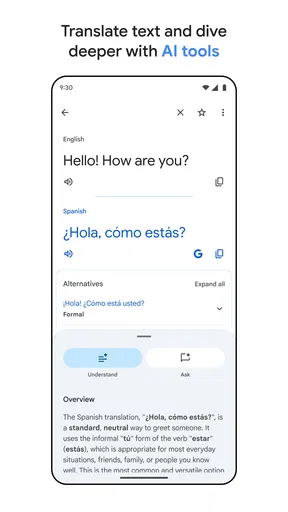
Now, the meat and potatoes of the app: the translation features. You’ve got several to choose from, whether you’re typing, speaking, or snapping a photo of the text you need to translate. The text translation is straightforward. You simply type in what you need, select the languages, and boom, you’ve got your translation.
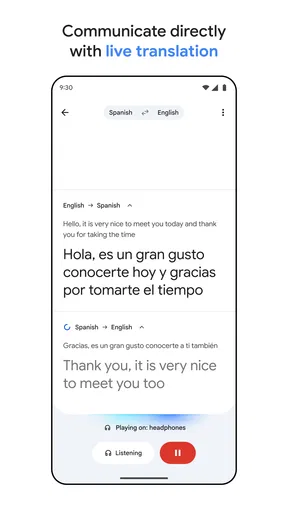
Voice translation is a game-changer for conversations. Just hit the mic button and speak naturally. The app picks up your speech and translates it almost instantly. It’s like having a personal interpreter in your pocket. And let’s not forget the camera translation. Point your camera at any text, and it’ll be translated right on your screen. It’s not perfect, but it’s pretty darn close.
Offline Capabilities
One of the standout features for me is the offline translation. You can download language packs in advance, so you’re not left high and dry in areas with spotty internet. This feature has saved my bacon more than once when I was in a remote area with no Wi-Fi in sight.
Usability and Performance
The app performs well, even on older devices, which is a huge plus. I haven’t experienced any lag or crashes. It’s responsive and quick, getting you the translations in seconds, which is exactly what you need when you’re on the go.
Practical Use Cases
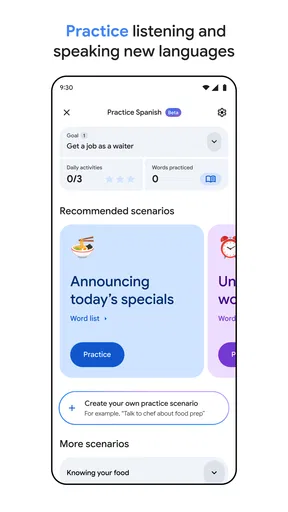
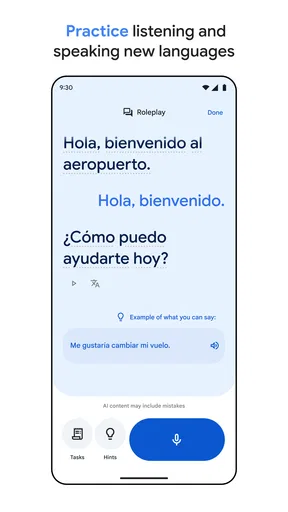
So, what’s it like using Google Translate in real life? Personally, I’ve used it for everything from ordering food at a bustling market to helping a lost tourist find their hotel. It’s also been great for learning new languages. The app doesn’t just translate; it also offers pronunciation guides, which are super helpful.
- Travel: Navigating foreign countries is a breeze.
- Learning: Aids in picking up new languages with ease.
- Communication: Bridging language gaps in everyday interactions.
Drawbacks
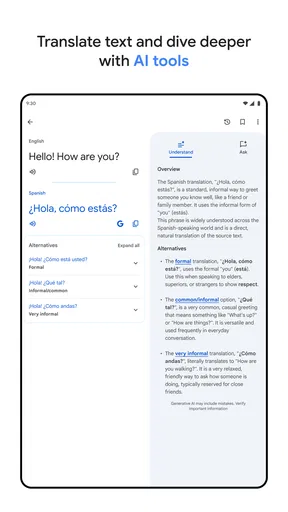
Of course, no app is perfect. Sometimes the translations can be a bit off, especially with idiomatic expressions or less common languages. But honestly, for a free app, it’s doing a stellar job. Just keep in mind that it’s a tool to aid communication, not a replacement for learning a language.
In conclusion, Google Translate is an indispensable tool for travelers, language learners, or anyone who needs a quick translation on the fly. It’s not flawless, but it’s pretty darn close. With its user-friendly design, robust features, and free price tag, it’s definitely worth downloading. Next time you’re venturing into unfamiliar linguistic territory, make sure you’ve got this app ready to go. It might just be your new best friend.
Privacy and Permissions
See what permissions an app requests and how it handles your data.
- Photos/Media/Files
- read the contents of your USB storage, modify or delete the contents of your USB storage
- Storage
- read the contents of your USB storage, modify or delete the contents of your USB storage
- Camera
- take pictures and videos
- Microphone
- record audio
- Wi-Fi connection information
- view Wi-Fi connections
- Other
- view network connections, measure app storage space, full network access, change your audio settings, control Near Field Communication, run at startup, draw over other apps, prevent device from sleeping, read Google service configuration
Verdict
Strengths of Google Translate
- Supports a wide range of languages.
- Includes offline translation feature.
- Offers camera translation.
- Integrates smoothly with other apps.
- User-friendly and intuitive interface.
Limitations of Google Translate
- Occasional translation inaccuracies.
- Limited offline language availability.
- Voice input can be imprecise.
- Requires internet for best results.
- Lacks context in translations.
Other Releases by Google LLC
View All
Google Calendar
Productivity4.6

Google Messages
Communication4.6

Tools4.0

Google TV
Video Players & Editors3.9
Similar Picks in This Category
View AllGoogle LLC4.0

Gboard - the Google Keyboard
Google LLC4.5

Google Play services
Google LLC4.3

Google Play Store
Google LLC4.9

Files by Google
Google LLC4.5

SHAREit: Transfer, Share Files
Smart Media4U Technology Pte.Ltd.4.3
You May Also Like
View All


Frequently Asked Questions
How accurate is Google Translate for different languages?
Google Translate offers varying levels of accuracy depending on the language pair. Common languages like Spanish, French, and German often have more precise translations. However, less commonly used languages or dialects may have more errors. The app continuously improves through machine learning, so accuracy is expected to enhance over time.
Does Google Translate work offline?
Yes, Google Translate offers offline functionality. You can download language packs for offline use, which is beneficial for travelers or in areas with limited internet access. Keep in mind that offline translations might be less accurate than online translations due to the limited dataset available in offline mode.
Can Google Translate interpret spoken language in real-time?
Google Translate provides real-time conversation translation for several languages. This feature allows users to have spoken conversations with someone speaking a different language. You simply press the microphone icon and start speaking. The app will translate and speak the translation aloud, making communication smoother.
Is Google Translate free to use?
Yes, Google Translate is entirely free to download and use. There are no hidden fees or subscription charges. However, using it online will consume data, so it's recommended to download necessary language packs for offline use if you're concerned about data usage.
What are the additional features of Google Translate besides text translation?
Apart from text translation, Google Translate offers several useful features. These include camera translation, which allows you to translate text in images by pointing your camera at it, and handwriting translation, where you can write characters with your finger or stylus. These features expand the app's versatility beyond simple text translation.
